
Description
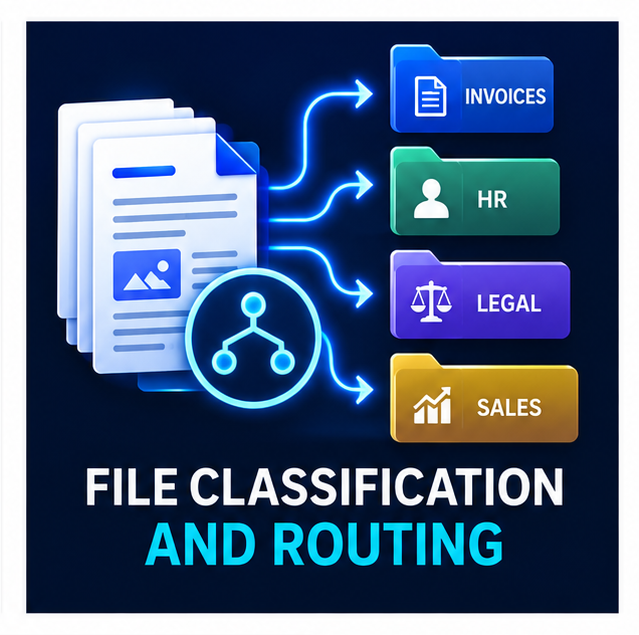
SaaS platforms specialize in automatically sorting downloaded files and email attachments using AI content analysis, metadata extraction, or rule‑based automation. Below is a structured list of the strongest options, grounded in current 2026 sources that this bot can replace and automate.
📂 SaaS Platforms That Auto‑Sort Files & Email Attachments
These tools directly address your requirement: automatic classification, routing, and folder organization based on content or metadata.1. Docsumo
AI document‑processing platform that classifies unstructured files and extracts fields from mixed templates. Ideal for automated routing of PDFs, invoices, contracts, etc. [^1]2. Google Document AI
Managed AI service with processors for classification, splitting, and structured extraction. Strong for high‑volume inbox documents and metadata‑driven routing. [^1]3. M‑Files
Metadata‑driven document management system that auto‑classifies and routes files based on rules and extracted attributes. [^1][^2]4. Ephesoft Transact
Enterprise‑grade document classification and routing with review loops for exceptions. [^1]5. The Drive AI
Full AI file‑management platform that automatically organizes files across Google Drive, Dropbox, OneDrive, and local storage. Handles end‑to‑end sorting, tagging, and foldering. [^3]6. The Drive AI (Email Edition)
Ranked as the best tool for automatic email attachment organization using AI content analysis. [^4]7. SaneBox
Smart filtering for email; while not full AI content classification, it auto‑sorts messages and attachments based on behavioral patterns. [^4]8. CleanEmail
Rule‑based email and attachment sorting; affordable and effective for structured workflows. [^4]9. Power Automate + AI Builder
Microsoft’s low‑code automation platform with AI classification prompts that auto‑sort email attachments into SharePoint folders and populate metadata. [^5]10. Canto
Metadata‑driven file sorting with governed access and traceable retrieval — strong for teams managing shared assets. [^2]11. Trello + Butler Automation
Not a traditional file sorter, but Butler automation can move attachments through routing stages in a Kanban workflow. [^2]🧭 Quick Comparison Table
| Platform | Best For | Core Strength |
|---|---|---|
| Docsumo | SMBs with mixed document types | AI classification + field extraction |
| Google Document AI | High‑volume inbox workflows | Layout‑aware processors |
| M‑Files | Metadata‑driven routing | Strong governance + automation |
| The Drive AI | Cross‑platform file organization | End‑to‑end AI sorting |
| The Drive AI Email | Attachment-heavy inboxes | AI content analysis |
| Power Automate + AI | Microsoft ecosystem | Flexible AI prompts + SharePoint routing |
| Canto | Asset libraries | Metadata governance |
| CleanEmail | Budget rule-based sorting | Simple automation |
| SaneBox | Smart inbox filtering | Behavioral sorting |
| Trello | Visual triage workflows | Butler automation |
🧠 Non‑obvious insight
If you want true autonomous sorting (not just rule‑based), the strongest options are Docsumo, Google Document AI, The Drive AI, and Power Automate + AI Builder. These tools actually read the document content and infer type, rather than relying on filenames or sender.References (5)
[^1]: Top 10 Best Document Sorting Software | Tested in 2026. https://zipdo.co/best/document-sorting-software/ [^2]: Top 10 Best File Sorting Software | Top Picks 2026. https://worldmetrics.org/best/file-sorting-software/ [^3]: Best AI File Organizers in 2026: We Tested 8 Tools So You Don’t Have To. https://thedrive.ai/blog/best-ai-file-organizer-2026 [^4]: 10 Best Email Management Tools in 2026: Inbox Organization That Actually Works. https://thedrive.ai/blog/email-organization-tools-comparison [^5]: Power Automate: AI Auto-Sort Email Files. https://www.hubsite365.com/en-ww/crm-pages/auto-sort-email-attachments-with-power-automate-ai-two-ways.htmWhat Happens After Purchase
Quartz immediately schedules your Discovery Meeting and begins preparing your workflow for automation. You’ll receive a confirmation email with next steps and access instructions.Client Requirements
To begin building your bot, or rtailoring your bot to to your systems and applications Quartz will request:-
- Basic business info
-
- Workflow description
-
- Sample files (if applicable)
-
- Admin/test credentials
-
- API keys (if available)
Discovery Meeting
A guided session where Quartz:-
- Reviews your selected bot
-
- Confirms workflow steps
-
- Identifies exceptions
-
- Validates system access
-
- Collects sample data
Build Timeline
Quartz follows a structured 4-week build cycle:-
- Week 1: Requirements Finalization
-
- Week 2: Architecture & Prototype
-
- Week 3: Full Build & Integration
-
- Week 4: Testing, QA, Deployment Prep
Deployment
You receive:-
- Installation package
-
- Configuration instructions
-
- Credentials
-
- Logging setup
-
- Team training
Support Window
For 30 days after deployment, Quartz provides:-
- Unlimited bug fixes
-
- Workflow adjustments
-
- Optimization tuning
-
- Priority support
Ongoing Support
Optional monthly plans include:-
- Maintenance
-
- Monitoring
-
- Enhancements
-
- Additional automations
Additional Automation Opportunities Quartz can evaluate additional workflows such as:
-
- Customer service
-
- Accounting
-
- HR onboarding
-
- Inventory
-
- Reporting
-
- Email processing
-
- Portal monitoring


